AI Anime Generator: Turn Photos into Anime Art & Create Characters (2026)
Learn how to generate stunning anime art with AI. Compare the best AI anime generators, get photo-to-anime conversion tips, and master anime prompt engineering for Ghibli, Shonen, Cyberpunk, and Chibi styles.
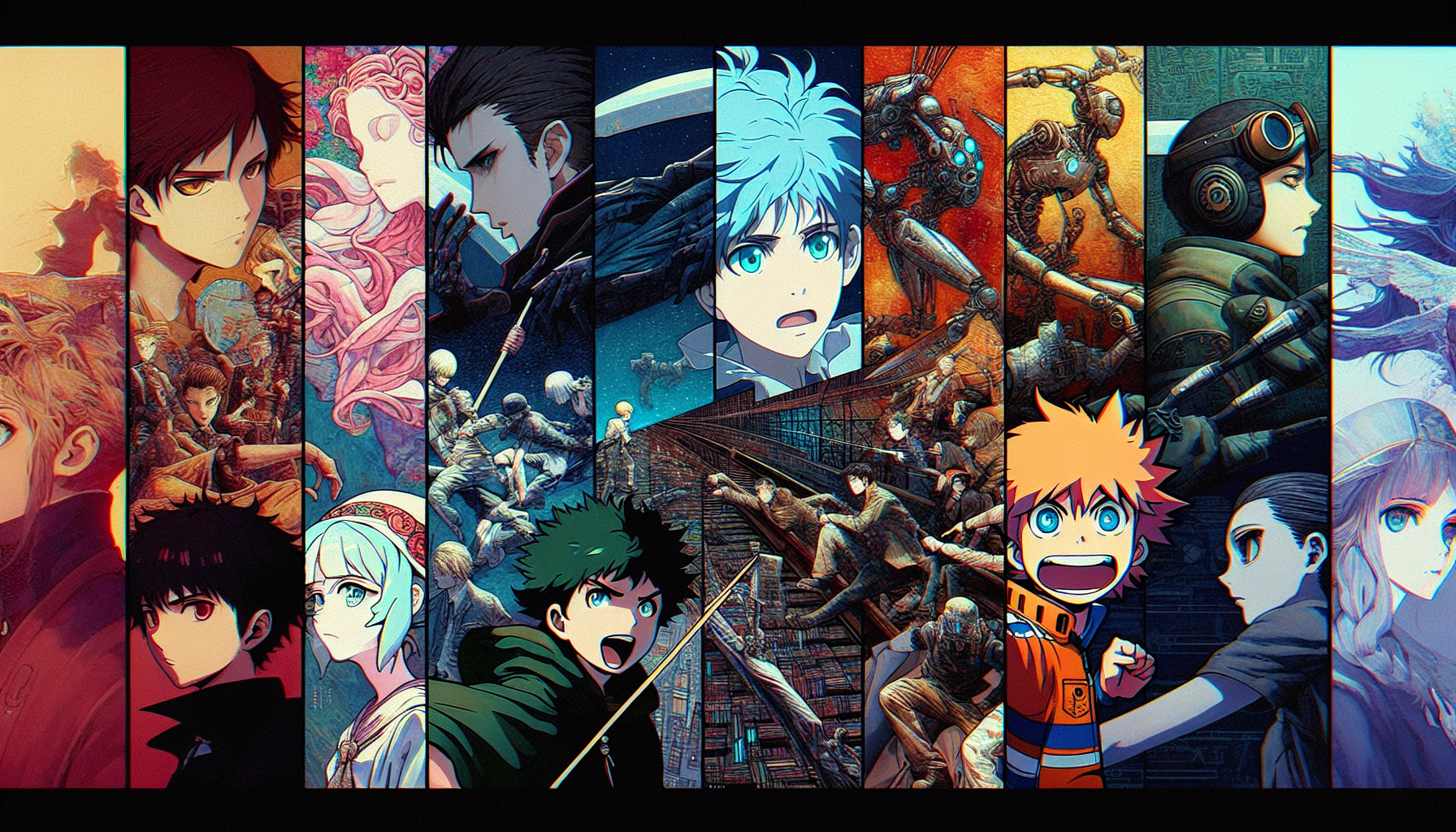
AI Anime Generator: Turn Photos into Anime Art & Create Characters (2026)
AI anime generators have opened up a new world for anime fans, artists, and creators. Whether you want to turn your selfie into an anime character, design an original manga hero, or create Studio Ghibli-style landscapes, AI tools can now produce stunning anime art in seconds. In this comprehensive guide, we cover how anime AI generation works, compare the best tools, share 20 ready-to-use anime prompts, and walk you through photo-to-anime conversion step by step.
Create anime art instantly — no drawing skills needed
AI2image lets you generate beautiful anime images using DALL-E 3 directly in your browser. Get 3 free anime image generations when you sign up.
How AI Anime Generation Works
AI anime generators use deep learning models trained on millions of anime and manga illustrations. These models learn the distinctive characteristics of anime art — large expressive eyes, stylized hair, clean linework, vibrant colors, and dramatic compositions — and can reproduce them on demand from text prompts or reference photos.
The two main approaches to AI anime generation are:
- Text-to-anime: You describe the character, scene, or style you want in a text prompt, and the AI generates an original anime image from scratch. Models like DALL-E 3, Midjourney with the --niji flag, and anime-tuned Stable Diffusion checkpoints excel at this.
- Photo-to-anime: You upload a real photograph, and the AI transforms it into anime style while preserving the subject's likeness and composition. Tools like AnimeGAN, ChatGPT's Ghibli mode, and specialized Stable Diffusion models handle this conversion.
Under the hood, most of these tools use either diffusion models (which progressively denoise a random image into a coherent result) or GANs (Generative Adversarial Networks, which pit two neural networks against each other to produce realistic outputs). Anime-specific models are fine-tuned on curated datasets of anime artwork, so they understand genre-specific aesthetics that general-purpose image generators might miss.
Best AI Anime Generators in 2026
Here's how the top AI anime generators compare across features, price, and output quality:
| Tool | Best For | Anime Styles | Price | Quality |
|---|---|---|---|---|
| AI2image | Quick anime generation, prompt library | All styles via DALL-E 3 | 3 free, then $5.99/10 | ⭐⭐⭐⭐⭐ |
| ChatGPT Ghibli Mode | Photo-to-Ghibli conversion | Studio Ghibli style | $20/month (Plus) | ⭐⭐⭐⭐⭐ |
| Midjourney --niji | High-quality anime illustration | Niji mode anime styles | $10/month | ⭐⭐⭐⭐⭐ |
| NovelAI | Manga & light novel illustration | Anime, manga, light novel | $10/month | ⭐⭐⭐⭐ |
| Waifu Labs | Anime portrait generation | Character portraits | Free | ⭐⭐⭐ |
| Crypko | Anime face generation & editing | Character faces | Free tier available | ⭐⭐⭐ |
| AnimeGAN | Photo-to-anime conversion | Ghibli, Shinkai, Paprika | Free (open source) | ⭐⭐⭐⭐ |
| Stable Diffusion (Anime Models) | Full customization, local running | Anything V5, Counterfeit, etc. | Free (self-hosted) | ⭐⭐⭐⭐⭐ |
AI2image — Easiest Way to Start
AI2image uses DALL-E 3 under the hood, which handles anime-style prompts remarkably well. You get 3 free generations on signup with no credit card required, making it the fastest way to create anime art. The built-in prompt library includes anime-specific templates so you don't have to write prompts from scratch.
ChatGPT Ghibli Mode — The Viral Sensation
OpenAI's GPT-4o image generation took the internet by storm when users discovered it could transform any photo into Studio Ghibli-style artwork. The conversational interface makes it easy to iterate — you can ask ChatGPT to adjust colors, change expressions, or add background elements through natural language.
Midjourney --niji — Professional Anime Quality
Midjourney's --niji mode is purpose-built for anime and manga-style illustration. It understands anime aesthetics deeply and produces results that rival professional illustrators. The --niji flag activates a specialized model trained specifically on anime and manga artwork.
Stable Diffusion Anime Models — Maximum Control
The open-source Stable Diffusion ecosystem offers dozens of anime-specialized models like Anything V5, Counterfeit-V3, and AOM3. Running locally gives you complete control over generation parameters, and LoRA models let you fine-tune for specific anime art styles or character consistency.
NovelAI — Built for Anime Creators
NovelAI was built from the ground up for anime-style generation. Its model is trained primarily on anime and manga artwork, producing some of the most authentic-looking anime images among all AI tools. It excels at character illustrations and scene compositions that feel like they came straight from a light novel.
20 Anime Prompts You Can Use Right Now
Copy and paste these prompts into AI2image or your preferred AI anime generator for instant results:
Studio Ghibli Style
Studio Ghibli style countryside with a small cottage, rolling green hills, fluffy cumulus clouds, a girl in a blue dress looking at the horizon, warm afternoon light, watercolor textureA magical bathhouse floating above clouds in Studio Ghibli style, paper lanterns glowing warm orange, spirits walking on bridges, detailed architecture, twilight skyGhibli-style forest spirit standing among ancient trees with moss, sunbeams filtering through canopy, fireflies glowing, peaceful and mystical atmosphereStudio Ghibli style coastal town with colorful buildings cascading down a hillside, fishing boats in harbor, seagulls, bright sunny day, hand-painted aesthetic
Shonen Action Style
Shonen anime hero with spiky dark hair charging up an energy attack, glowing blue aura, dramatic speed lines, torn cape flowing in wind, dark stormy backgroundEpic anime battle scene between two samurai on a moonlit rooftop, katanas clashing with sparks, cherry blossoms swirling, dynamic action pose, detailed shonen art styleAnime warrior girl with a massive mechanical sword, steam-powered armor, standing on a cliff overlooking a ruined city, dramatic sunset, shonen manga art styleShonen-style anime pirate captain standing on ship bow, confident grin, straw hat, ocean waves crashing, One Piece inspired, vibrant colors, dynamic composition
Shojo & Romance Style
Shojo anime girl in a school uniform under a cherry blossom tree, petals falling around her, soft pink and white palette, sparkles, gentle wind, romantic atmosphereBeautiful shojo manga princess in an elegant ballgown, crystal chandelier, rose garden visible through arched windows, soft lighting, dreamy pastel colors, delicate featuresAnime couple sharing an umbrella in the rain on a Tokyo street at night, neon signs reflecting on wet pavement, warm and cozy mood, shojo manga styleShojo-style magical girl transformation sequence, ribbons of light swirling, starry background, flowing magical dress forming, sparkle effects, dynamic elegant pose
Cyberpunk Anime Style
Cyberpunk anime hacker girl with neon blue hair, holographic screens floating around her, dark futuristic room, LED lighting, detailed cyberpunk anime styleAnime mech pilot in a cockpit, glowing control panels, rain streaming down the glass canopy, giant robot visible in reflection, neon city below, cyberpunk aestheticCyberpunk anime street scene with towering neon signs in Japanese, food vendors, androids walking among humans, rain, puddle reflections, Akira and Ghost in the Shell inspiredAnime cyborg girl with one glowing red eye, half-mechanical face, silver hair, standing on a rooftop overlooking a sprawling cyberpunk metropolis at night
Chibi & Kawaii Style
Adorable chibi anime cat girl with oversized head, tiny body, big sparkling eyes, pink hair with cat ears, holding a heart-shaped lollipop, pastel rainbow backgroundChibi anime wizard casting a spell, oversized pointy hat, tiny staff with glowing star, cute determined expression, sparkles and magical effects, kawaii styleSet of four chibi anime characters representing the seasons: spring flower girl, summer beach boy, autumn leaf fairy, winter snow princess, kawaii style, pastel colorsKawaii chibi dragon sleeping on a pile of cookies and candy, tiny wings, round body, blush marks on cheeks, cozy blanket, cute sticker style illustration
Try These Anime Prompts Instantly
Paste any prompt above into AI2image and generate your anime art in seconds.
Generate Anime Art Free →How to Turn a Photo into Anime (Step-by-Step)
Transforming a real photo into anime art is one of the most popular uses of AI anime generators. Here's how to do it:
Step 1: Choose Your Source Photo
For the best results, select a photo with:
- Clear lighting: Well-lit photos convert much better than dark or shadowy ones
- Simple background: Busy backgrounds can confuse the AI — simpler is better
- Front-facing subject: Faces looking directly at the camera produce the most recognizable anime conversions
- High resolution: At least 512x512 pixels, ideally 1024x1024 or higher
Step 2: Select Your Anime Style
Different tools and prompts produce very different anime aesthetics:
- Studio Ghibli: Soft, painterly, warm colors, rounded features — use ChatGPT Ghibli mode or prompt "in Studio Ghibli style"
- Modern anime: Clean lines, vibrant colors, large eyes — use Midjourney --niji or NovelAI
- Manga/black & white: High contrast linework, screentone shading — specify "manga style, black and white, ink drawing"
- Chibi/kawaii: Exaggerated cute proportions, big head, small body — specify "chibi style, kawaii"
- Realistic anime: Semi-realistic with anime influence — specify "semi-realistic anime style, detailed"
Step 3: Generate and Refine
Upload your photo or describe it alongside your anime style prompt:
- For ChatGPT: Upload the photo and say "Convert this photo into Studio Ghibli anime style"
- For AI2image: Describe the person/scene and add the anime style you want
- For AnimeGAN: Upload and select the target anime style (Hayao, Shinkai, Paprika)
- For Stable Diffusion: Use img2img with an anime checkpoint, adjust denoising strength (0.5-0.7 works best)
Pro tip: If the first result doesn't capture your likeness well, try increasing the guidance scale or reducing the style strength. Most tools let you balance between faithfulness to the original photo and anime stylization.
Step 4: Post-Processing
Once you have your anime result:
- Use upscaling tools to increase resolution if needed (Real-ESRGAN anime model works great)
- Adjust colors and contrast to match your preferred anime aesthetic
- Crop and frame the image for your intended use (profile picture, wallpaper, print)
- Generate multiple variations and pick the best one — AI results vary each time
Anime Character Design Tips
Creating consistent, compelling anime characters with AI requires some specific techniques:
Defining Character Features
Be explicit about every visual element of your character:
- Hair: Specify color, length, style (spiky, flowing, twin-tails, bob cut), and any special features (gradient color, glowing)
- Eyes: Color, shape (sharp, round, narrow), and expression (determined, gentle, mischievous)
- Outfit: Describe every piece of clothing, including colors, patterns, and accessories
- Body type: Height, build, age appearance, and proportions
- Pose: Action pose, standing, sitting, looking over shoulder — the pose tells a story
Maintaining Character Consistency
Getting the same character across multiple images is challenging but possible:
- Use detailed, consistent descriptions every time — save your character prompt as a template
- In Stable Diffusion, use LoRA models trained on your character for consistent results
- Reference specific anime characters as style anchors: "character design similar to Violet Evergarden's aesthetic"
- Keep the same color palette and distinctive features (a scar, a unique accessory) in every prompt
- Use seed locking in tools that support it to maintain facial consistency
Anime Style Reference Guide
Understanding different anime art styles helps you write better prompts. Here are the major styles and how to invoke them:
| Style | Characteristics | Prompt Keywords | Examples |
|---|---|---|---|
| Studio Ghibli | Soft watercolor, warm tones, detailed backgrounds, naturalistic | "Studio Ghibli style", "Hayao Miyazaki", "hand-painted anime" | Spirited Away, Totoro |
| Makoto Shinkai | Photorealistic backgrounds, dramatic skies, lens flares, vivid colors | "Makoto Shinkai style", "Your Name aesthetic", "detailed sky anime" | Your Name, Weathering with You |
| Shonen | Bold lines, dynamic action, speed lines, dramatic lighting | "shonen anime style", "action manga", "dynamic battle scene" | Naruto, Dragon Ball, My Hero Academia |
| Shojo | Soft lines, floral elements, sparkles, pastel palette, romantic | "shojo manga style", "romantic anime", "sparkle effects, flowers" | Sailor Moon, Fruits Basket |
| Cyberpunk Anime | Neon lighting, dark atmosphere, tech elements, gritty urban | "cyberpunk anime", "Akira style", "Ghost in the Shell aesthetic" | Akira, Ghost in the Shell, Cyberpunk Edgerunners |
| Chibi / Kawaii | Oversized heads, tiny bodies, simple features, cute expressions | "chibi style", "kawaii", "cute deformed anime" | Nendoroid figures, emoji stickers |
| 90s Retro Anime | Film grain, cel shading, muted palette, VHS aesthetic | "90s anime aesthetic", "retro anime", "cel-shaded, film grain" | Evangelion, Cowboy Bebop, Sailor Moon |
Common Mistakes to Avoid
These are the most frequent pitfalls when generating anime art with AI:
- Vague prompts: "anime girl" will give generic results. Always specify hair color, eye color, outfit, expression, pose, background, and art style.
- Ignoring negative prompts: When available, use negative prompts to avoid common issues. Add "no extra fingers, no deformed hands, no blurry" to improve quality.
- Wrong aspect ratio: Anime character portraits work best in portrait orientation (2:3 or 9:16). Landscape scenes work best in 16:9 or 3:2.
- Mixing incompatible styles: Asking for "chibi style realistic 4K photograph" confuses the AI. Stick to one coherent style per prompt.
- Forgetting lighting: Lighting dramatically affects anime art mood. Specify "soft golden hour light" or "dramatic rim lighting" for more atmospheric results.
Frequently Asked Questions
What is the best free AI anime generator?
AI2image offers 3 free anime image generations using DALL-E 3 with no credit card required. For unlimited free generations, Stable Diffusion with anime-specific models (like Anything V5 or Counterfeit) is the best option if you have a GPU. Waifu Labs and Crypko also offer free anime character generation with more limited features.
Can I turn my photo into anime with AI?
Yes, several AI tools can convert photos to anime. ChatGPT's GPT-4o can transform photos into Studio Ghibli style when you upload an image. AnimeGAN is a free open-source tool specifically designed for photo-to-anime conversion. Stable Diffusion's img2img feature with anime models also works well. For the best results, use a well-lit, front-facing photo with a simple background.
How do I get Ghibli-style anime from AI?
To generate Studio Ghibli-style anime art, include "Studio Ghibli style" in your prompt along with characteristic elements like "watercolor texture, warm colors, detailed natural backgrounds, soft lighting." ChatGPT Plus with GPT-4o is widely known for its Ghibli mode — simply upload a photo and ask it to convert to Ghibli style. AI2image also handles Ghibli-style prompts effectively through DALL-E 3.
What is Midjourney's --niji mode?
Midjourney's --niji mode is a specialized model fine-tuned for anime and manga-style illustration. By adding "--niji" at the end of your Midjourney prompt, the AI switches to a model that understands anime aesthetics including expressive eyes, dynamic poses, and clean linework. It produces some of the highest quality AI anime art available and is popular among both fans and professional illustrators.
Can I use AI-generated anime art commercially?
Commercial usage rights depend on the tool you use. DALL-E 3 (used by AI2image) and Midjourney (on paid plans) both allow commercial use of generated images. NovelAI grants commercial rights on its paid tiers. Stable Diffusion outputs are generally unrestricted since the models are open source. Always check each platform's terms of service before using AI anime art for commercial purposes like merchandise, books, or marketing materials.
Start Creating Anime Art with AI Today
3 free generations. No credit card. Beautiful anime results in seconds.
Try AI2image Free →Try this prompt:
Studio Ghibli style countryside with a small cottage, rolling green hills, fluffy cumulus clouds, a girl in a blue dress looking at the horizon, warm afternoon light, watercolor texture
Try this prompt:
Shonen anime hero with spiky dark hair charging up an energy attack, glowing blue aura, dramatic speed lines, torn cape flowing in wind
Try this prompt:
Cyberpunk anime hacker girl with neon blue hair, holographic screens floating around her, dark futuristic room, LED lighting
Try this prompt:
Adorable chibi anime cat girl with oversized head, big sparkling eyes, pink hair with cat ears, holding a heart-shaped lollipop, pastel rainbow background